Audit evidence
Show someone else what your agents did and what was stopped, in a form they can check without trusting you.
Share the summary
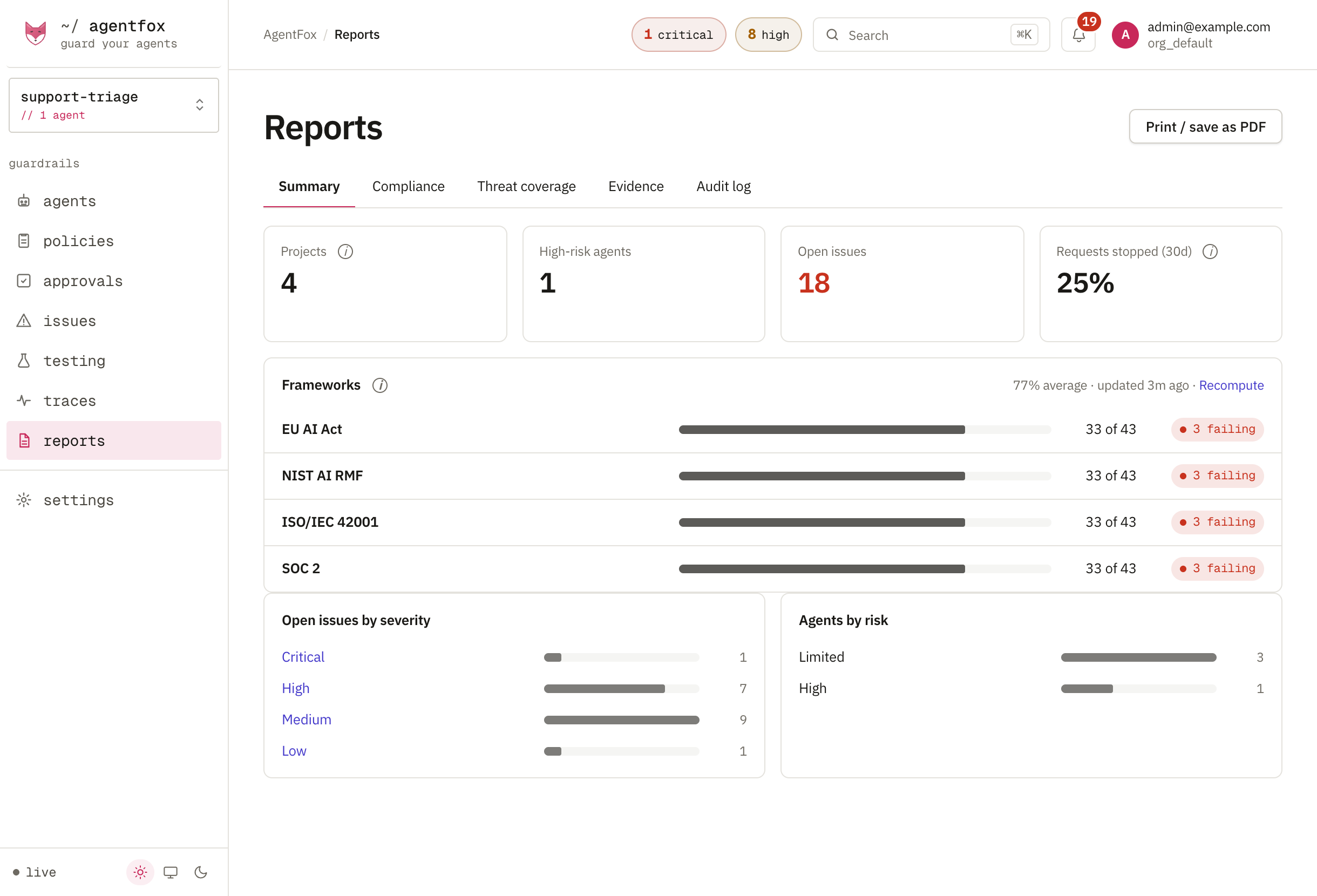
Reports → Summary is one page for someone who has never opened AgentFox: what is running, what was stopped, and what rules in Watch would have stopped. Press Print / save as PDF to send it on.
bash agentfox report summary --since 30d --format html --out summary.htmlCheck the audit log
Every decision, approval and change is written to a hash-chained log. An edited or deleted entry breaks the chain. On Reports → Audit log, press Verify log.
bash agentfox report verifyIt exits 1 on a break, so you can run it on a schedule and alert on it.
See control status (Enterprise)
Reports → Compliance maps 44 controls to the EU AI Act, ISO/IEC 42001, NIST AI RMF, SOC 2, OWASP and MITRE ATLAS. Each control's status is computed from your own traffic, not filled in on a form. Regulations shows each framework; Risk register holds one assessment per agent.
Build an evidence package (Enterprise)
On Reports → Evidence, choose the agents and period and press Build. Download gives you a zip.
The zip holds the audit log, decisions, approvals, issues, control status and a summary. The auditor unzips it and runs
python3 verify_chain.pywith any Python 3: no AgentFox, no call to your server. Building a package is itself written to the audit log.
Framework mappings are drafts
Engineers mapped controls to clauses from the published texts. No counsel has reviewed them, and they are not legal advice. Each one is labelled DRAFT — UNVERIFIED until a named person signs it off: open a control on Compliance and use Record a review (written to the audit log, valid for 90 days), or hand the reviewer agentfox report review-packet.
Before you show checkpoints to anyone
Checkpoints are signed anchors over the log. Out of the box they use a published development key, so set AGENTFOX_AUDIT_SIGNING_KEY from your secret store first. Give the auditor the key separately; with it, verify_chain.py also checks the signatures.
Retention and legal hold
Settings → Retention sets how long each kind of data is kept. A daily job deletes older runs and redacts old content; the audit log is never purged. A legal hold stops the purge for the agents it names, or for everything. Both changes are recorded on the audit log.
If something goes wrong
| You see | Do this |
|---|---|
| Every compliance count is zero | Press Load control catalog, or run agentfox admin catalog sync. |
| A control reads not implemented | Nothing in the window used it. It needs real traffic, not a recompute. |
| The package is nearly empty | Nothing was recorded in that period, or the agents don't run through AgentFox. |
checkpoint_signature from verify_chain.py | The key is not the one the checkpoints were signed with. |