Traces and issues
Find out why a call was blocked, tell AgentFox when a check was wrong, and clear the issues that need a person.
Find the run
Open Traces. The Runs tab lists recent runs with their agent and outcome. Filter by Blocked, Held, Masked or Errors, or by agent. To jump to one, press ⌘K and paste its id (
trc_…).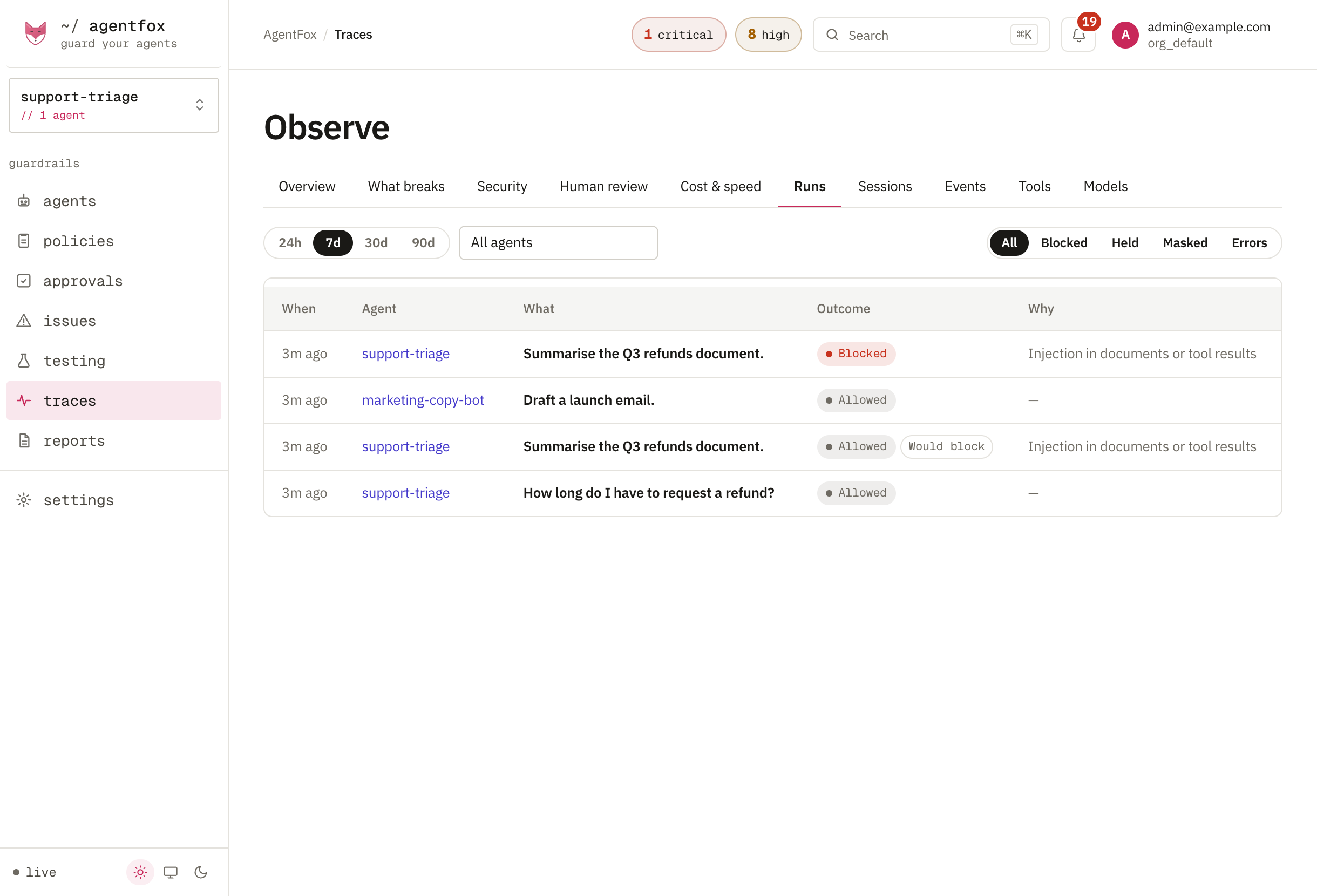
See why it was blocked
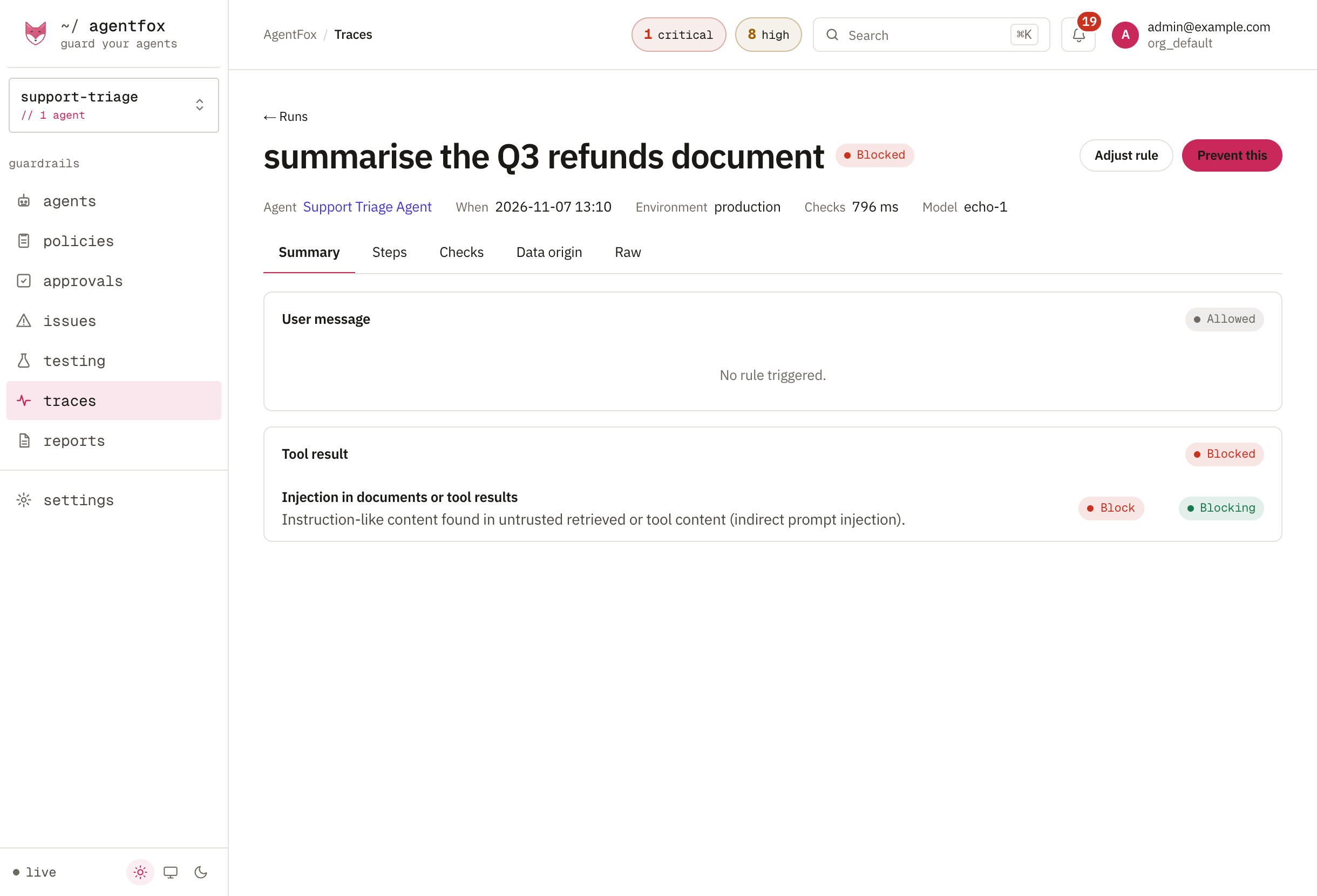
Open the run. Summary says what decided it, which rule, and what to do. Steps shows each model and tool call in order, Checks every check with its score, and Data origin where each tool argument came from (the user, a document, another tool).
Mark a check right or wrong
On a check that found something, press Correct or Wrong. A label changes nothing on its own: it feeds Fix false positives, where a wrong catch is one click from a scoped, expiring exception.
Work the Issues queue
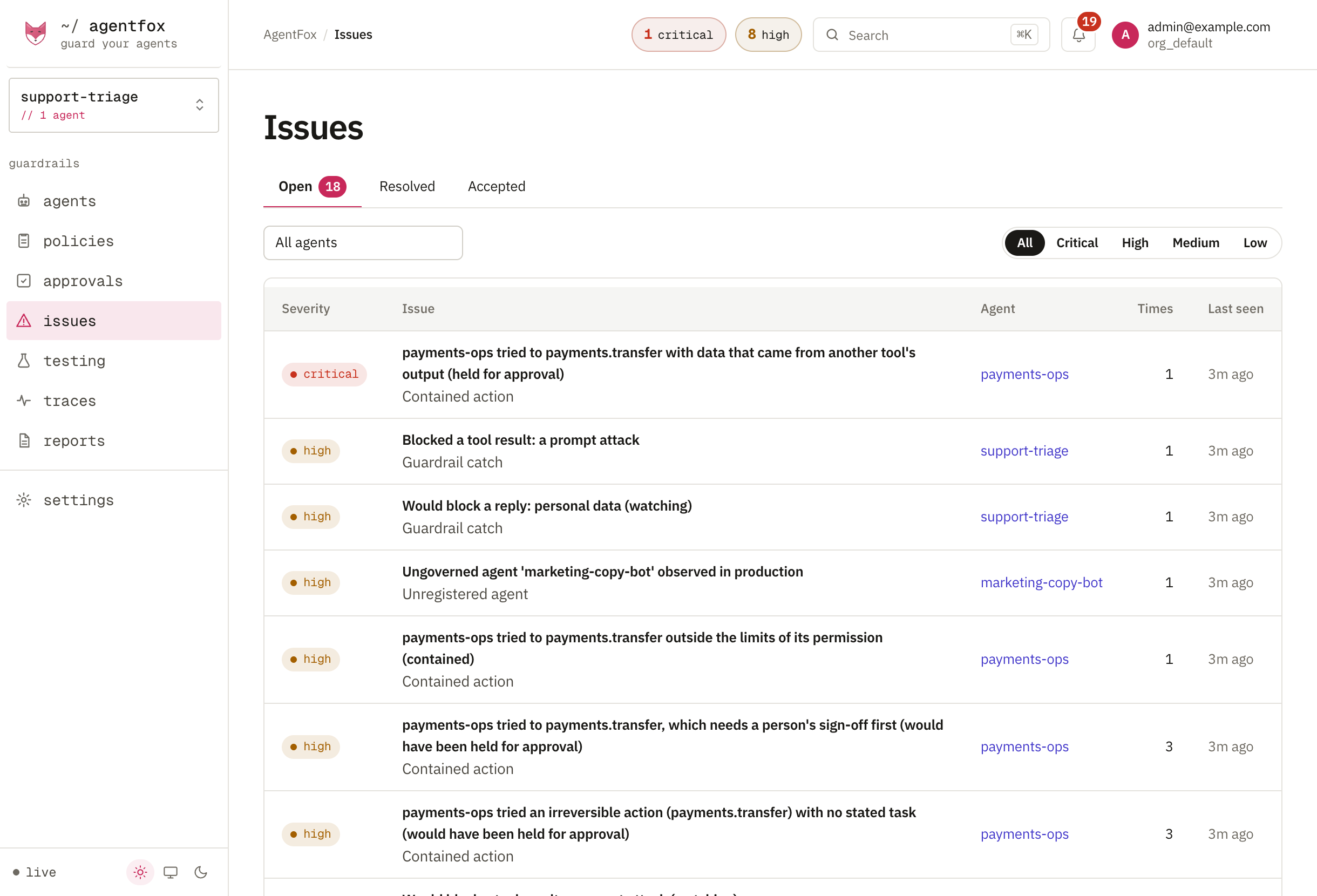
Issues lists what needs a person: a guardrail catch, a refused tool call, an agent nobody registered, an attack that got through. A problem that keeps happening is one row with a count.
Resolve or accept
Open an issue to see its evidence. Mark resolved needs a note on what fixed it. Accept needs a reason, and keeps the issue visible under Accepted instead of looking fixed.
Reading an issue title
- (contained) or (held for approval): the rule blocks, and the call was stopped or sent to Approvals.
- (would have been contained) or Would have been blocked on …: the rule is in Watch. The call went through; the issue shows what Block would change.
criticalmeans look today,highthis week. The rule or check that raised it sets the severity.
From the command line
The CLI calls issues findings. The same queue, worst first:
agentfox findings --severity highResolving and accepting are in the app, or PATCH /api/findings/{id}. Traces are listed in the app or with GET /api/traces; there is no CLI command for them. Every issue type is in Detectors and findings.
If something goes wrong
| You see | Do this |
|---|---|
| A run says nothing was checked | No governed step ran on that turn. Check prompts as well as tool calls; see Python apps. |
| A resolved issue comes back | The problem happened again. Resolving records a fix; it does not turn the check off. |
| Masked text you cannot read | By design. Values are masked when recorded and the original is not stored. |