Custom rules
Add a rule of your own, watch what it would do, then start blocking with it.
Pick what you want to do
On Policies, press New rule. Pick a card: block words or a pattern, keep off a topic, keep on topic, a value crosses a line, approve above an amount, stop a risky sequence, and more.
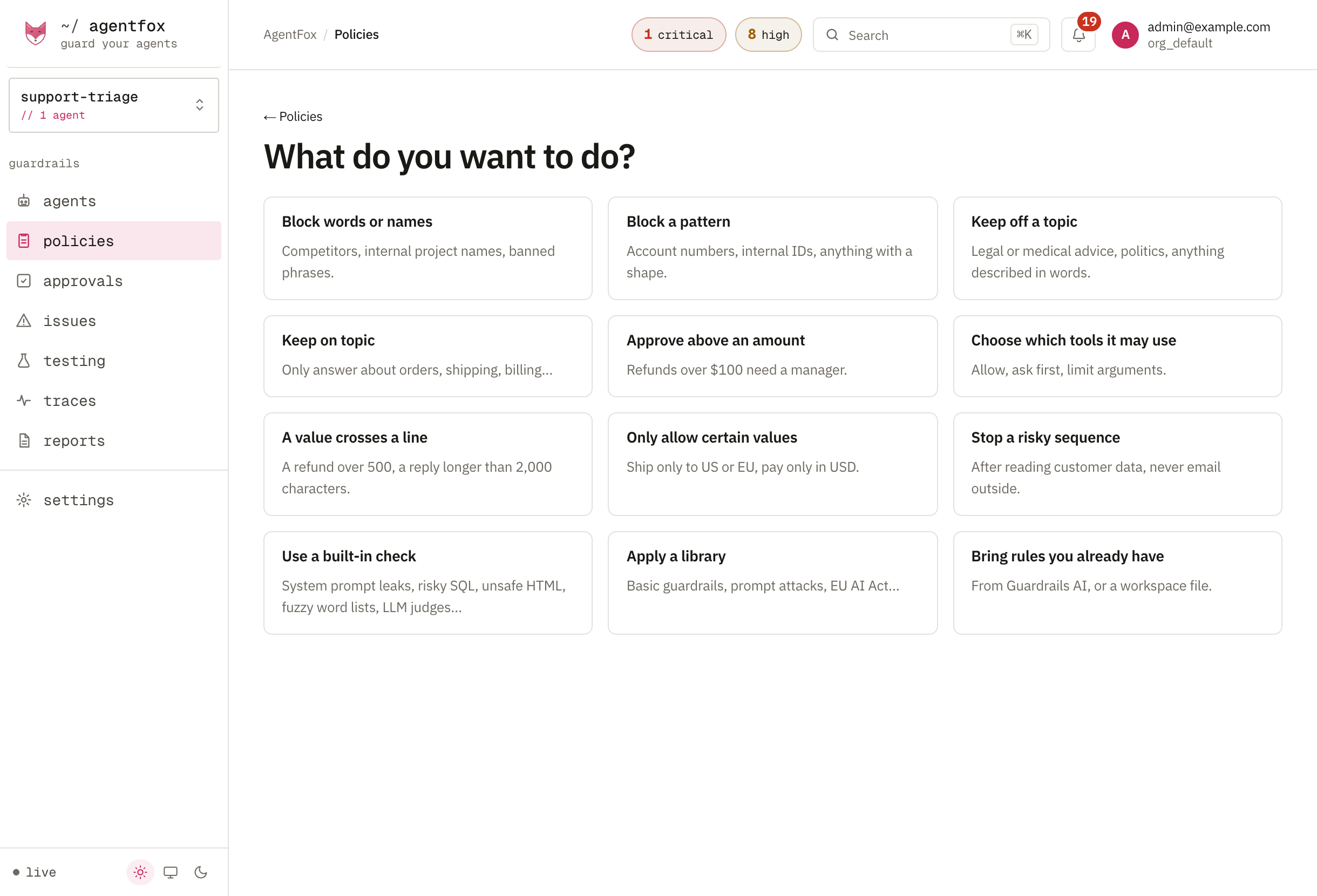
Say where it applies and what it does
Fill in the form: what to look for, where (the user's message, the reply, a tool's arguments or its result), and what to do when it matches. For a tool call, the rule runs before the tool does, so Ask a human holds the call on Approvals.
Watch, then start blocking
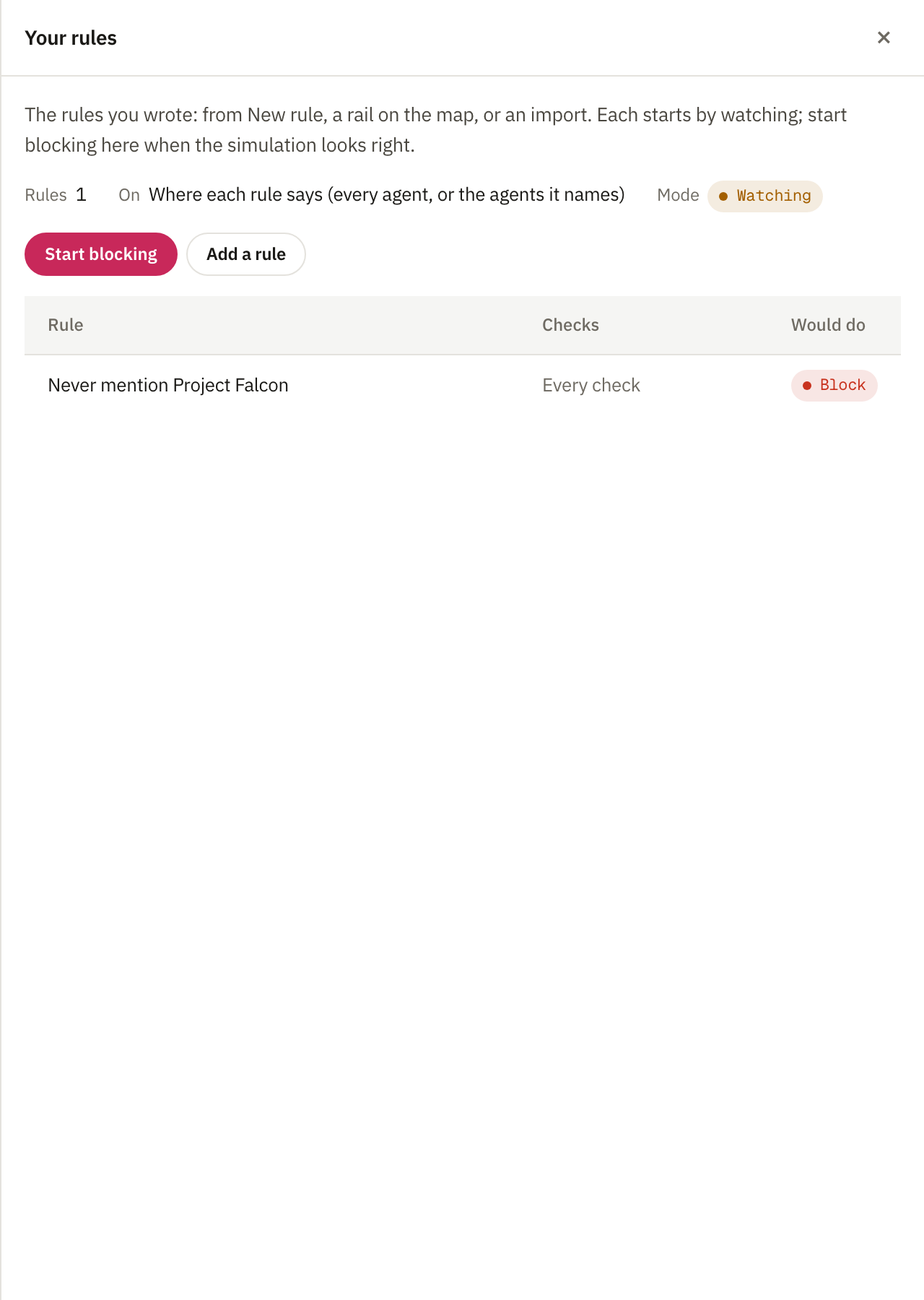
Every rule you write is saved watching, in the Your rules library. Open it from Policies → Libraries to see what each rule would have done, then press Start blocking.
Approval limits by amount
"Credits under $50 go through, up to $5,000 need a finance lead, above that never" is an approval limit. Each amount gets exactly one outcome, with no gap at the boundaries. In the app, choose Approve above an amount. From the CLI, write it as a file and test values before it runs:
agentfox policy rules apply credit-limits.yaml
agentfox policy rules test billing-credit-limits "50,50.01,5000.01"
A missing or unreadable amount is sent for approval, never let through. The file format is in the policy reference.
Import rules from another tool
Press New rule, then Bring rules you already have. Choose Guardrails AI, or Agent governance YAML or a policy manifest. The preview marks every rule as translated, translated with a note, or not translated with the reason. Untick what you do not want and import.
Imported rules start watching. When several match, the strongest effect wins, so an allow never overrides a block. Check whether calls no rule matches pass: the preview says so first.
Make the agent say "I don't know"
On the agent's Access page, fill in What it may answer: the data it answers from, how far back that data goes, the topics it must not answer, and the kinds of question it may answer. A question outside that is refused before the model is called, with a sentence you can show the user.
Saved from the app, the boundary watches: refusals are recorded, not applied.